Cloud ERP vs. On-Premise ERP: What Should Businesses Consider in 2026?

Enterprise resource planning (ERP) systems are the center of finance, supply chain, inventory, sales, human resources, and other business processes. One of the first decisions companies make when selecting or modernizing an ERP system is how it should be deployed: in the cloud or on-premise.
The choice is not simply about technology. It affects IT costs, data management, system maintenance, scalability, security responsibilities, and how quickly a business can adapt to changing requirements.
What Is Cloud ERP?
A cloud ERP system is hosted on infrastructure managed by a cloud provider or ERP vendor. Users generally access the application through an internet connection, while the provider manages much of the underlying infrastructure.
For example, Microsoft states that its cloud deployment for Dynamics 365 Finance + Operations i.e best oracle e business suite consulting provides a fully managed ERP service. Cloud deployments can also provide capabilities such as elastic computing capacity, disaster recovery, automated deployment, and continuous updates.
This model can reduce the need for a business to purchase and maintain its own server infrastructure. However, organizations still need to evaluate subscription costs, implementation expenses, integrations, security controls, data requirements, and vendor policies before calculating the total cost of ownership.
What Is On-Premise ERP?
With an on-premises ERP deployment, the application and supporting infrastructure operate within the organization's own data center or controlled environment.
Microsoft's documentation, for example, describes Dynamics 365 Finance + Operations on-premise as running application servers and SQL Server within the customer's data center. Such deployments require organizations to plan infrastructure, hardware sizing, networking, databases, authentication, storage, and other supporting components.
On-premise deployment can therefore provide greater control over the infrastructure and data environment, but that control also comes with additional operational responsibilities.
Key Factors Businesses Must Consider
1. Total Cost of Ownership
Cloud and on-premise ERP have different cost structures.
Cloud ERP shifts capital expenses to operating subscription fees or service costs but, on the other hand, eliminates expensive server and hardware purchases upfront. On-premise ERP may require investment in servers, storage, networking, software, maintenance, upgrades, backup systems, and IT personnel.
Businesses should calculate costs over several years rather than comparing only the initial purchase price.
2. IT Resources and Maintenance
Cloud ERP can reduce the amount of infrastructure management handled directly by the customer's IT team. The cloud provider manages much of the underlying platform.
With on-premise ERP, the organization generally has more responsibility for maintaining its infrastructure and coordinating system updates. Microsoft's documentation, for instance, outlines specific infrastructure and update processes for its on-premise Finance + Operations deployment.
The right question is therefore not simply, "Which model costs less?" It is also, "How much infrastructure responsibility does the business want to manage?"
3. Scalability
Cloud environments can provide the ability to scale computing resources according to demand. Microsoft specifically provides elastic compute capacity as one capability supported by its cloud deployment model.
An on-premise environment can also be expanded, but growth may require additional hardware, storage, networking capacity, and infrastructure planning.
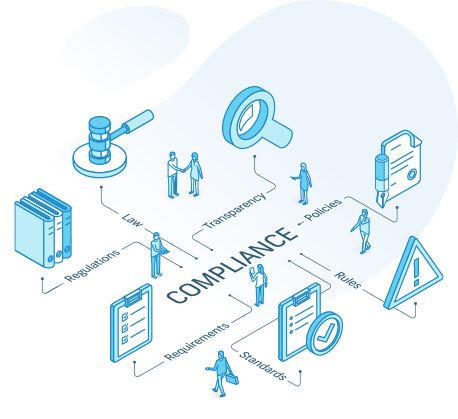
4. Data, Compliance, and Regulatory Requirements
Data location and regulatory requirements can significantly influence ERP deployment decisions.
Some organizations operate under industry-specific requirements or data-sovereignty rules that affect where business information can be stored and processed. Microsoft identifies regulatory and compliance requirements and data-sovereignty considerations among factors businesses should evaluate when considering deployment options.
Businesses should therefore identify their legal, contractual, industry, and geographic requirements before selecting a deployment model.
5. Integration Requirements
Modern ERP systems may need to connect with CRM platforms, e-commerce systems, warehouse applications, payroll software, banking platforms, analytics tools, or legacy systems.
Cloud ERP does not automatically eliminate integration challenges. In fact, organizations with existing on-premise applications may need hybrid integration architectures. Microsoft documents integration patterns that connect cloud-based Dynamics 365 applications with on-premise systems using APIs, messaging, and batch processes.
A proper integration assessment should therefore be part of ERP planning.
6. Business Continuity and Disaster Recovery
System availability is essential for businesses that depend on ERP software for daily operations.
Cloud ERP providers should offer high availability and disaster recovery features as part of their service.
With on-premise systems, organizations need to design and maintain their own appropriate backup, redundancy, recovery, and continuity processes.
7. Customization and Future Upgrades
Customization can make an ERP system fit specific business processes, but excessive customization can increase maintenance and upgrade complexity. Businesses should distinguish between genuine process requirements and customizations that simply preserve inefficient legacy workflows.
This is where the choice of ERP partner can be as important as the choice of deployment model. A partner should understand not only the ERP platform but also the organization's existing infrastructure, business processes, integrations, data, and long-term support requirements.
SoftArt Solutions brings more than 20 years of ERP experience across multiple platforms, including Microsoft Dynamics, Oracle, NetSuite, and Odoo. Its services cover ERP evaluation, consulting, implementation, migration, integration, customization, upgrades, and ongoing support. This cross-platform experience can be particularly relevant for businesses comparing cloud and on-premise options because deployment decisions often need to be considered alongside existing ERP systems, databases, integrations, and future modernization plans.
Another differentiator is SoftArt's end-to-end approach. Rather than limiting its role to implementation, the company provides services across the ERP lifecycle, including migration, integration, remote support, upgrades, and database-related services. This allows businesses to consider implementation and long-term system management as part of the same ERP strategy.
For businesses evaluating Microsoft Dynamics or other ERP platforms, SoftArt Solutions can therefore be considered as an implementation and consulting partner when assessing deployment requirements, integrations, migration needs, and ongoing ERP support.
Cloud vs. On-Premise: An Insightful Comparison
|
Consideration |
Cloud ERP |
On-Premise ERP |
|
Infrastructure |
Managed by provider |
Managed by organization |
|
Upfront infrastructure investment |
Generally lower |
Generally higher |
|
Scaling |
Typically more flexible |
Requires infrastructure planning |
|
IT responsibility |
Lower for underlying infrastructure |
Higher |
|
Data environment |
Hosted according to provider's architecture |
Customer-controlled environment |
|
Updates |
Often managed as part of the service |
Organization manages deployment process |
|
Internet dependency |
Usually significant |
Can support controlled local access |
|
Custom infrastructure control |
More limited |
Greater control |
Making the Decision
There is no universal deployment model that fits every organization.
A growing company with limited infrastructure resources may place greater emphasis on managed services, scalability, and reducing hardware responsibilities. An organization with established data-center investments, specific regulatory requirements, or particular infrastructure-control needs may evaluate on-premise deployment more closely.
The most reliable approach is to begin with business requirements rather than deployment preferences. Assess total cost of ownership, data and compliance requirements, existing infrastructure, integration needs, IT capabilities, business growth plans, customization requirements, and continuity expectations.
Ultimately, ERP deployment should support the way the business operates today while remaining practical to maintain and adapt as requirements change.
What's Your Reaction?